Every Cost Counted
Machine wear, power, tooling, consumables, scrap and outside work are priced in, so the margin you see is the margin you get.
 CUSTOMAKR
Shop Management for Small Manufacturers, Makers and Home-Based Businesses
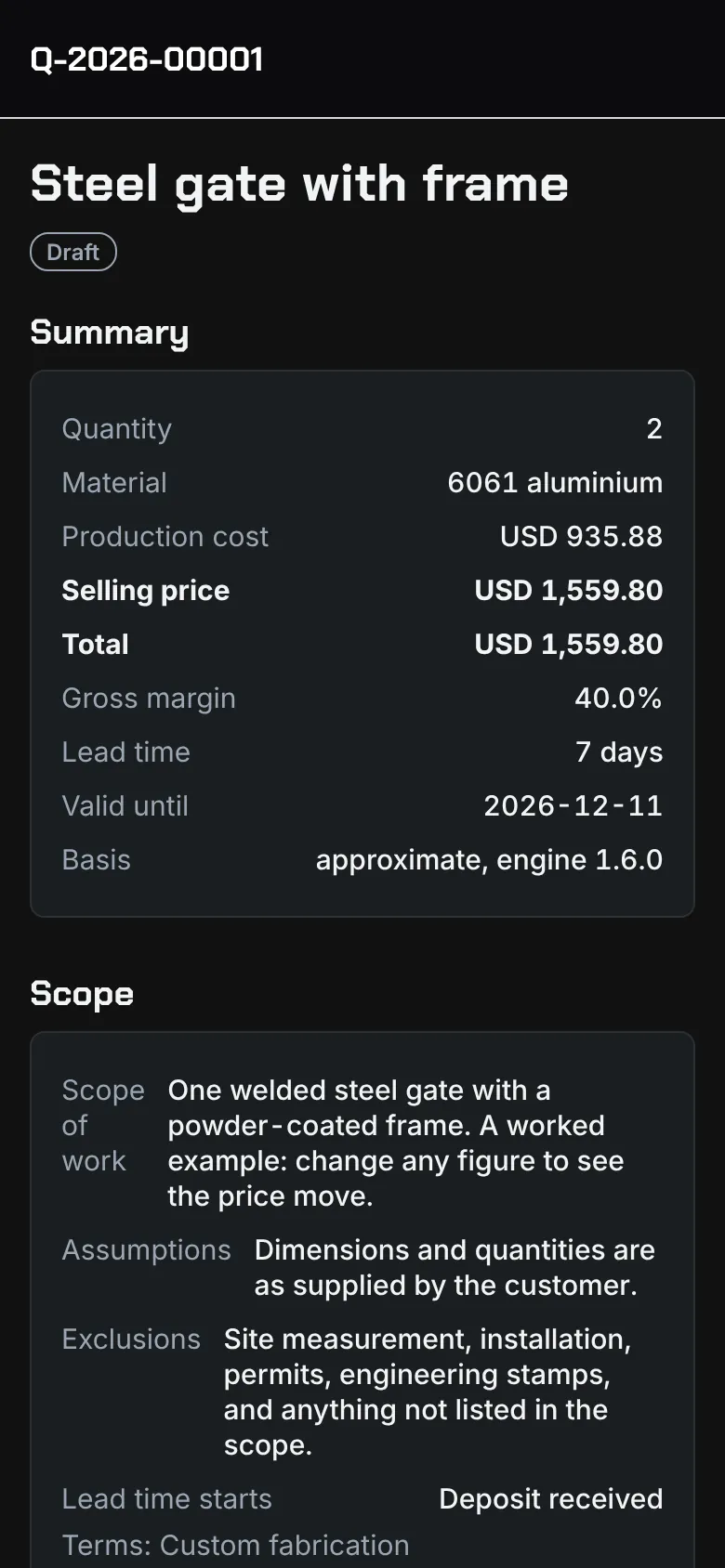
Customakr prices your work from what your shop really spends: machine time and energy, labour by department, and material by weight, length, area, sheet or piece. Send a quote your customer approves online, run the job, get paid, and see what it really made.
Built For
Machine wear, power, tooling, consumables, scrap and outside work are priced in, so the margin you see is the margin you get.
Pick the service, enter a few sizes and times. Builders and your saved operations do the rest, the same way every time.
A clean branded quote, approved online with one tap, then a work order and an invoice your customer can pay by card.
Most shops start on Free, move to Solo when they quote weekly, and choose Pro once customers order online and the crew needs work orders.
Try real quoting on real jobs.
$0forever
Start FreeFor hobbyists and one-machine sellers.
$4.17per month, $50 billed yearly
Choose MakerFor home-based and one-person shops.
$15.83per month, $190 billed yearly
Choose SoloWin more jobs and see what each one really made.
$32.50per month, $390 billed yearly
Choose ProOne shared system for the whole crew.
$65.83per month, $790 billed yearly
Choose TeamPrices in US dollars. Paid plans are bought in the iPhone and Android apps, which are coming soon; the App Store or Google Play will show the price in your currency and handle billing, renewal and cancellation. Every paid plan starts from the same free account, so nothing is lost when you upgrade.
| Feature | Free | Maker | Solo | Pro | Team |
|---|---|---|---|---|---|
| Limits | |||||
| Quotes per month | 3 | Unlimited | Unlimited | Unlimited | Unlimited |
| Machines | 1 | 1 | 5 | 25 | 100 |
| Users | 1 | 1 | 1 | 1 | 5 |
| Quoting and Pricing | |||||
| Shop rate calculator that reads your power, gas and water bills on your device | |||||
| Workflow quotes with operations, departments and sub-assemblies | |||||
| Standard material library with more than 3,000 sizes | |||||
| Material priced by weight, length, area, sheet or each, with a waste allowance | |||||
| 3D print, CNC, laser, waterjet and sign calculators | |||||
| Electrical and LED lighting: LED, power supply and circuit planning, with an electrical parts library | |||||
| Electrical and weld inspection add-ons with your own fees | |||||
| Watermark-free quotes | – | ||||
| Your logo on quotes | – | ||||
| Modern and Bold quote layouts in your colour, without the app credit | – | – | |||
| Tools, stock and supplier libraries, with several contacts per supplier | – | – | |||
| Materials, material prices and machines edited in a spreadsheet and uploaded again | – | – | |||
| Slicer files, G-code and DXF drawings read on your device (time, material, cut length) | – | – | – | ||
| Batch pricing and job history with real profit | – | – | – | ||
| Photos attached to quotes | – | – | – | – | |
| 3D model viewer (STL, OBJ, 3MF, PLY, glTF, STEP) and models on work orders | – | – | – | – | |
| Customers and Getting Paid | |||||
| Customers approve quotes, drawings and change orders online | |||||
| Invoices with card payments (Stripe) | – | ||||
| Customakr fee on each card payment, on top of Stripe's fee | – | 1% | 0.5% | 0.5% | 0.5% |
| Payment reminder emails to customers | – | – | |||
| Refunds, full or partial, with numbered credit notes | – | ||||
| Progress billing by milestones or percent complete | – | – | |||
| Progress billing by schedule of values, with holdback withheld and released | – | – | – | ||
| Customer financing: customers can pay over time with Affirm (US and Canada) | – | – | – | ||
| Customer ordering page | – | – | – | ||
| Export your data (CSV, PDF) | – | ||||
| QuickBooks and spreadsheet export | – | – | |||
| Export all your data to CSV (owner) | – | – | – | ||
| A copy of your own personal data, as privacy law requires | |||||
| Running the Shop | |||||
| Operations Board, job board and a time clock on each operation, with warnings before hours run out | |||||
| Send work orders and estimates to employees | – | – | – | ||
| Workflow capacity and machine maintenance | – | – | – | ||
| Live job profit: quoted price against cost so far, projected to completion | – | – | – | – | |
| Crew and Access | |||||
| Team roles and shared libraries | – | – | – | – | |
| Approve quotes before they are sent | – | – | – | – | |
| Choose what each employee can see | – | – | – | – | |
| Shop network, approved devices and screenshot protection for employees | – | – | – | – | |
01Workflow Quoting
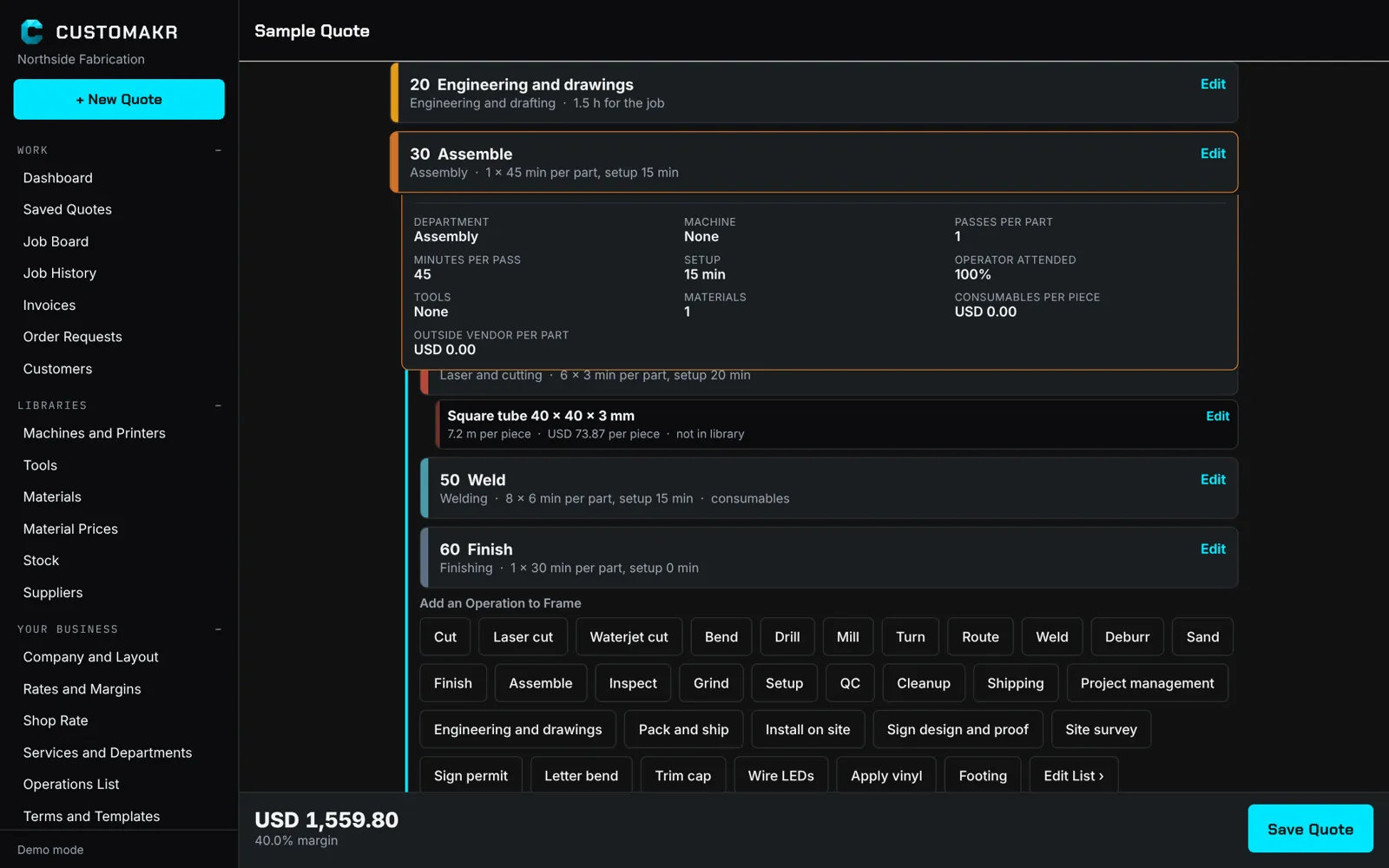
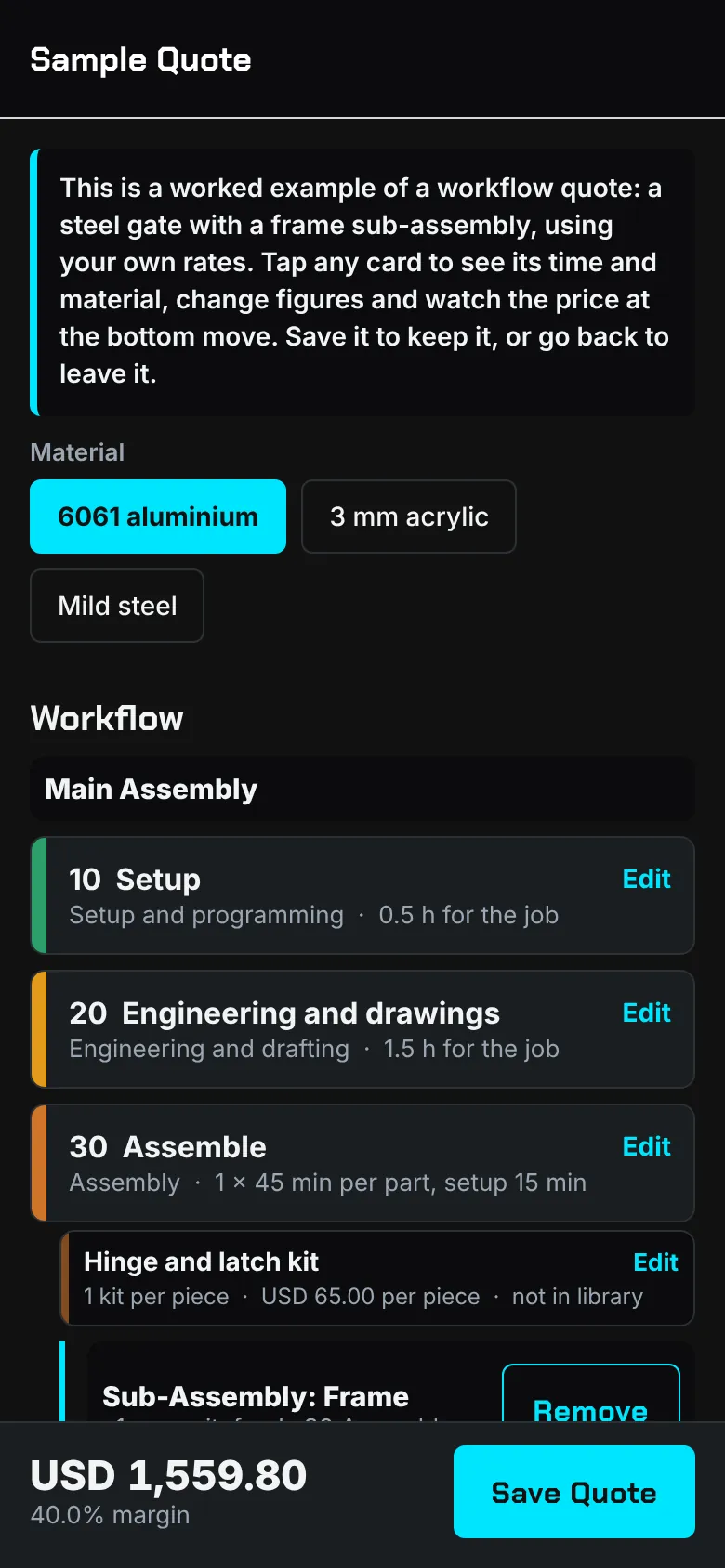
Lay out the job as operation cards: cut, bend, weld, finish, assemble. Each department charges its own rate, each machine its real hourly cost, and every material comes from your library on its own card.
02Materials and Machines
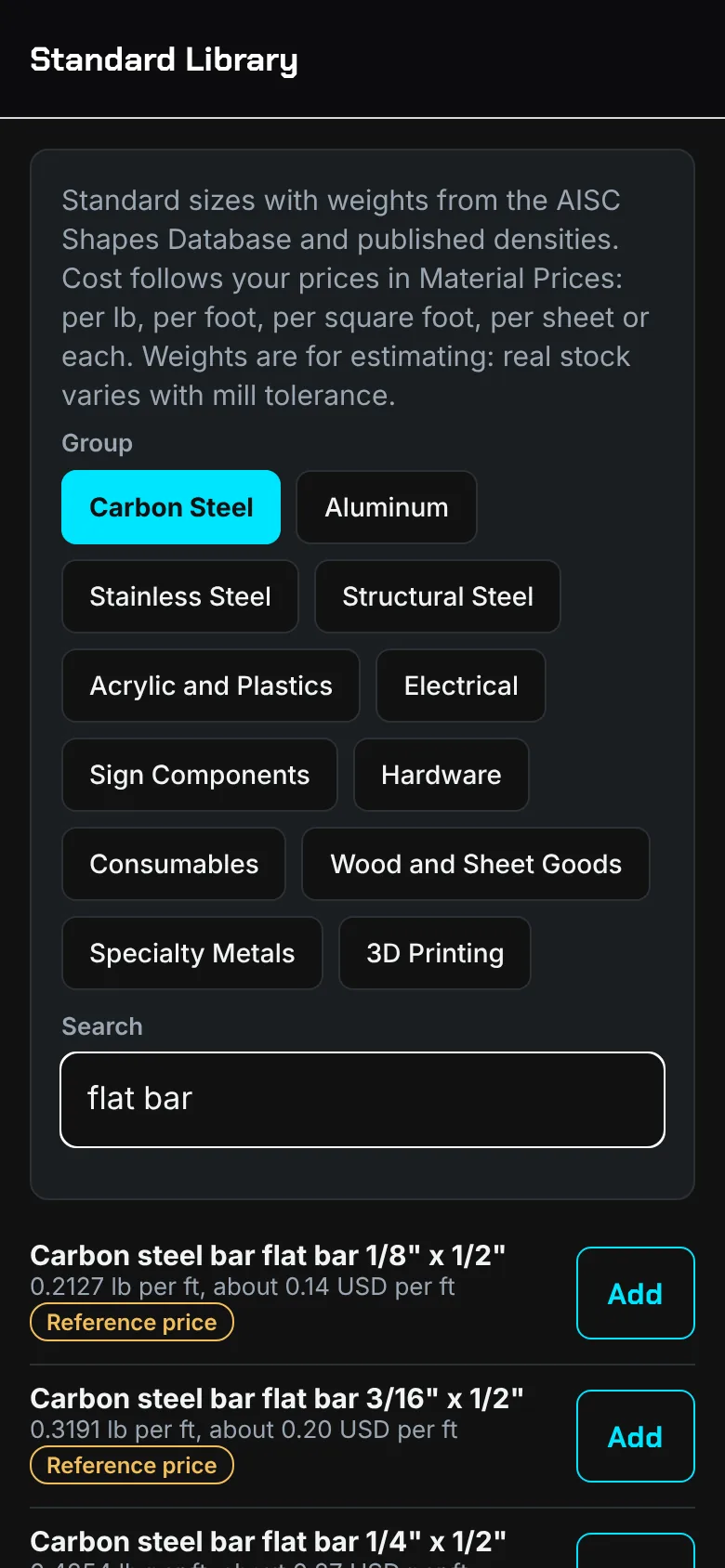
Price each material on the basis your supplier uses: by the pound or kilogram, the linear foot or metre, the square foot or square metre, the sheet, or each. Customakr converts between them from the published weight and the sheet size, and adds your waste allowance for offcuts and scrap. Add your machines, including tabletop and homebuilt ones, and it works out what an hour really costs, energy included.
033D Printing, CNC, Laser and More
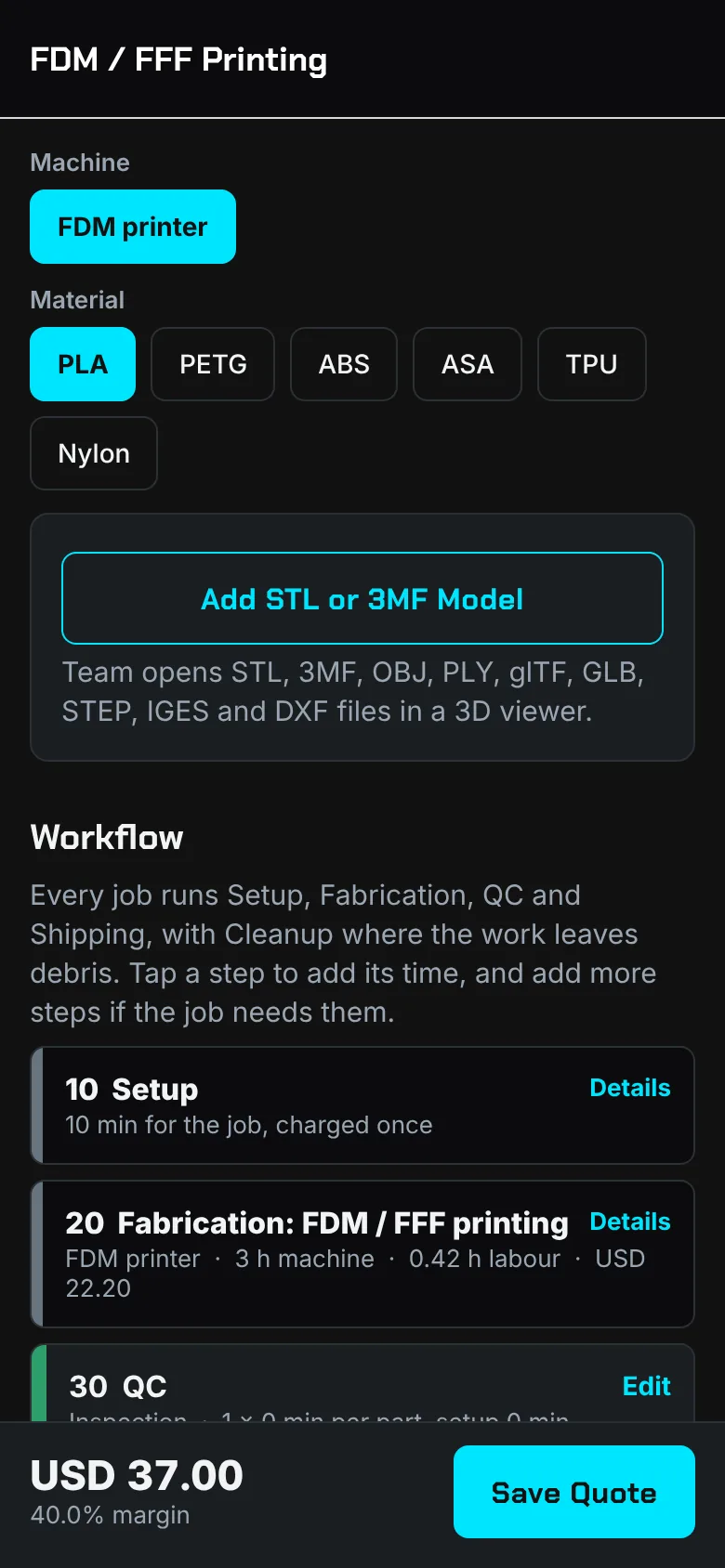
3D printing, CNC machining and routing, laser and waterjet cutting, welding and fabrication, woodworking, signage and one-off custom parts each get a calculator built for the job. On Pro and Team, Customakr reads your slicer files, G-code and DXF drawings on your device and fills in print time, material, cut length and pierces.
04Run the Shop
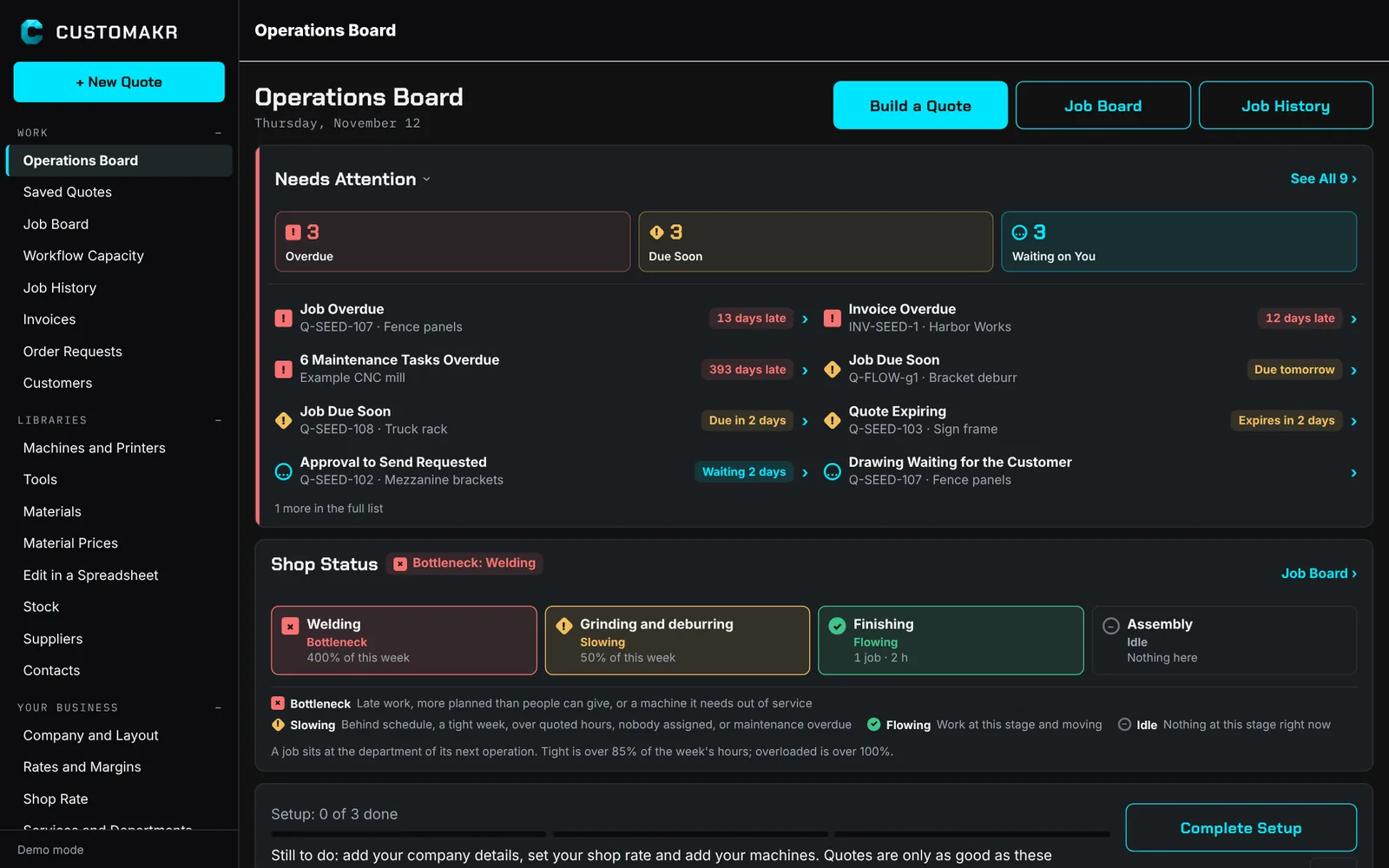
The Operations Board opens with Needs Attention: late jobs, quotes about to expire, overdue invoices and people waiting on you. Shop Status shows each department as a colour-coded stage with its own shape and label, so you can see where work is flowing, slowing or stuck. Accepted quotes become work orders on the job board, where your crew clocks time on each operation.
05Win It, Run It, Get Paid
Send a branded quote and an approval link. Your customer accepts online, approves drawings and change orders, and pays the invoice by card into your own Stripe account. Bill long jobs in stages, and let reminder emails chase what is due.
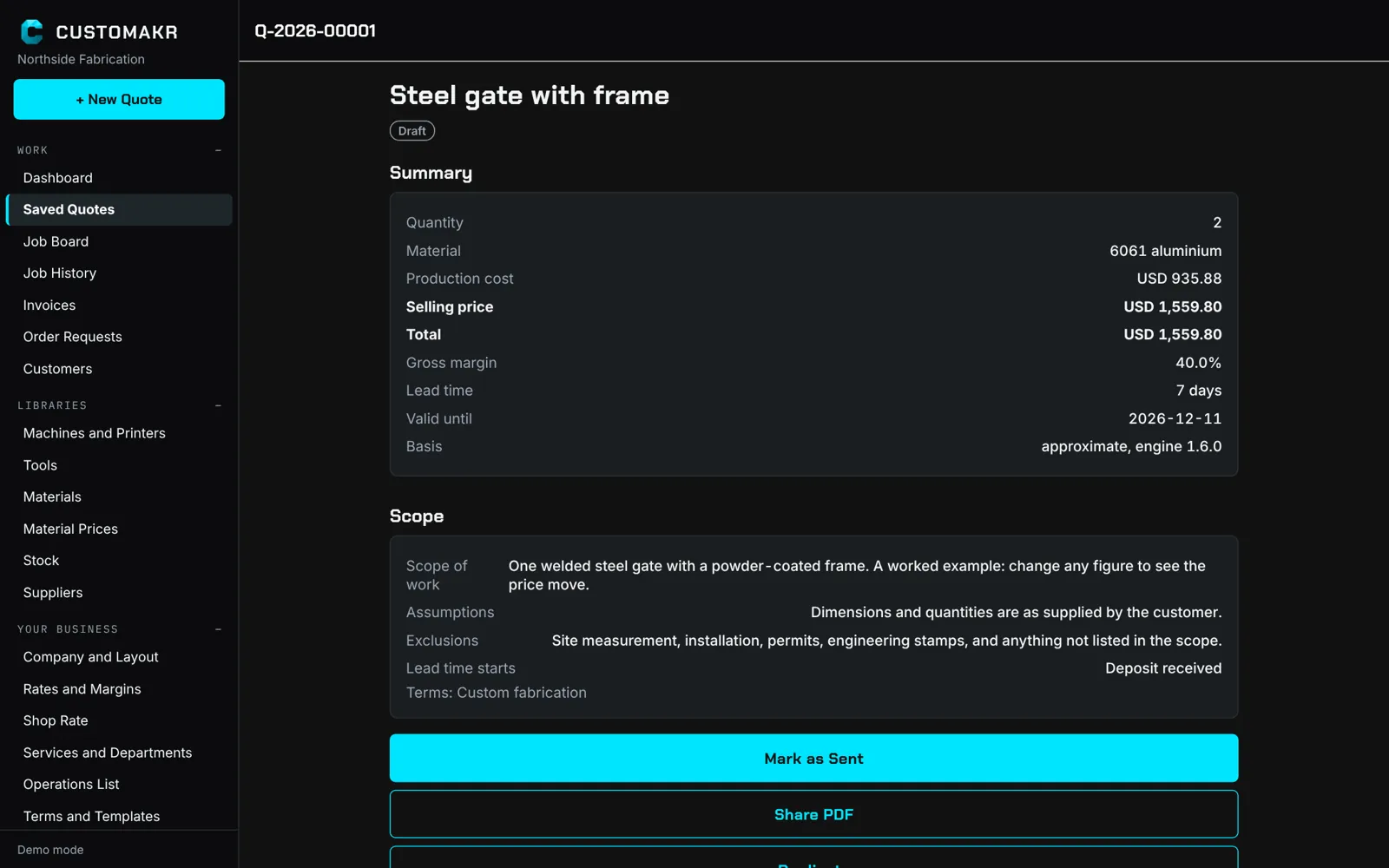
Every operation on its own card, by department, with sub-assemblies that feed the main assembly.
Price material the way you buy it: by weight, linear foot, square foot, sheet or each, with a waste allowance for offcuts and scrap.
Hourly cost from what the machine cost, how long it lasts and the power it draws. Homebuilt and tabletop too.
Customakr reads your real electricity rate and monthly utilities into your shop rate. The bill is read on your phone or in your browser, never uploaded, and you check every number.
On Pro and Team, slicer files, G-code and DXF drawings are read on your device for print time, material, cut length and pierces.
On Solo and above, download your materials, material prices and machines as one spreadsheet, edit it in Excel, Google Sheets, Numbers or LibreOffice, and upload it again. You see every change before anything is saved.
3D printing, CNC, laser, waterjet, welding, woodworking and signage, each priced from its own inputs.
LED modules, strip and neon flex, power supplies with headroom, amps and a circuit estimate, plus a library of electrical parts you price yourself.
Offer electrical inspection on lit work and weld inspection on structural work, at the fees you are charged.
Customers accept quotes, drawings and change orders from a link. No account needed.
Invoices customers pay by card, straight into your own Stripe account, with reminder emails before and after the due date.
Bill long jobs by milestones or percent complete. On Pro and Team, bill by schedule of values with holdback withheld and released.
On Pro and Team, customers in the US and Canada can choose to pay over time with Affirm, subject to eligibility. You are paid up front.
Hear the moment a customer approves, pays or sends a request.
Needs Attention lists what is late or waiting on you. Shop Status shows every department in colour, shape and words, so a bottleneck stands out.
Accepted quotes become work orders. Your crew starts and stops the clock on each operation, and is warned before the quoted hours run out.
Job history compares what you quoted with what the work really took. On Team, each open job's profit updates as the work is clocked.
On Team, the owner chooses which menus, customers, suppliers, quotes and work orders each employee can open.
Roles, shared libraries, approval before sending, and work orders sent to the shop floor.
A supplier library with several contacts for each supplier, and stock on hand with a warning when it runs low.
Send customers and invoices to QuickBooks, and quotes and job profit to a spreadsheet. On Pro and Team, the owner can export everything to CSV.
A setup for one person working from home: a small machine set, small custom work and starting figures to edit.
Quote real jobs on your device first. When you create a free account, your setup and quotes come with you.
Five languages, more than 100 currencies, imperial or metric, on phone, tablet and computer.
Pick your services. Departments, operations, currency and language are set for you.
Your shop rate, each machine and your material prices. Snap a utility bill to fill in your real power rate. The sample quote shows how it all fits.
Save the quote, send the link, and turn the approved job into a work order and an invoice.
No. Tap "Try without an account" and quote real jobs on your device. When you create a free account, your setup and quotes come with you.
Small custom shops and home businesses of every kind: 3D printing, CNC, laser, plasma and waterjet cutting, welding and small fabrication, woodworking, signage and other small-job services. It is sized for small jobs and small crews rather than large structural steel projects.
From your own numbers: your shop rate, each department's rate, what your machines cost to run and your material prices. A standard library of common shapes and sizes gives you a head start, and you price each material the way you buy it: by weight, length, area, sheet or each.
Yes. Take a photo of your electricity, gas or water bill, or choose an image or PDF on the web. Customakr finds the usage, the billing period and the charges, works out what each kWh really costs, and averages several bills. The bill is read on your device and is not uploaded or kept. You check every number before it goes into your shop rate, and you can always type the figures in.
Yes. You send a link; they review the quote, drawings or change order in a browser and accept with their name. You see the decision right away.
Free quotes still reach your customers, by link or as a PDF, with a Customakr watermark. Nothing else can be exported on Free: shared PDFs of work orders and invoices start with Maker, and CSV and spreadsheet files with Solo. A copy of your own personal data stays available on every plan, as privacy law requires.
You connect your own Stripe account. Customers pay your invoice by card and the money goes to your Stripe account, less Stripe's fee and a small Customakr fee shown before you turn it on.
Refund all or part of a payment from the invoice. Card and Affirm payments go back through your Stripe account, and cash, cheque or e-transfer refunds are recorded. Your customer gets a numbered credit note, and Customakr gives back its own fee on every card refund. Stripe keeps its processing fee.
On Pro and Team, a shop in the US or Canada can offer financing through Affirm on its own Stripe account. The quote tells the customer they can pay over time, and the card link includes Affirm. You are paid up front and Customakr's fee stays the same. Financing is provided by Affirm, subject to eligibility, for consumers in the US and Canada; Stripe and Affirm decide which businesses and customers qualify, and sales to businesses are not eligible.
They are coming soon. Today Customakr runs as a web app in the browser on your phone, tablet or computer, and the apps will use the same account.
Yes. The web app has a full desktop layout with menus, and uses the same account as your phone.
Your quotes, customers and prices are yours and are never sold. We measure how the app is used (which screens and features) to improve it, without your customers' contact details or your sales figures. See the privacy policy.
Start on the web today, on your phone, tablet or computer.
The iPhone and Android apps are coming soon. Try the web app now, no account needed.