
Everything a Machined Part Costs
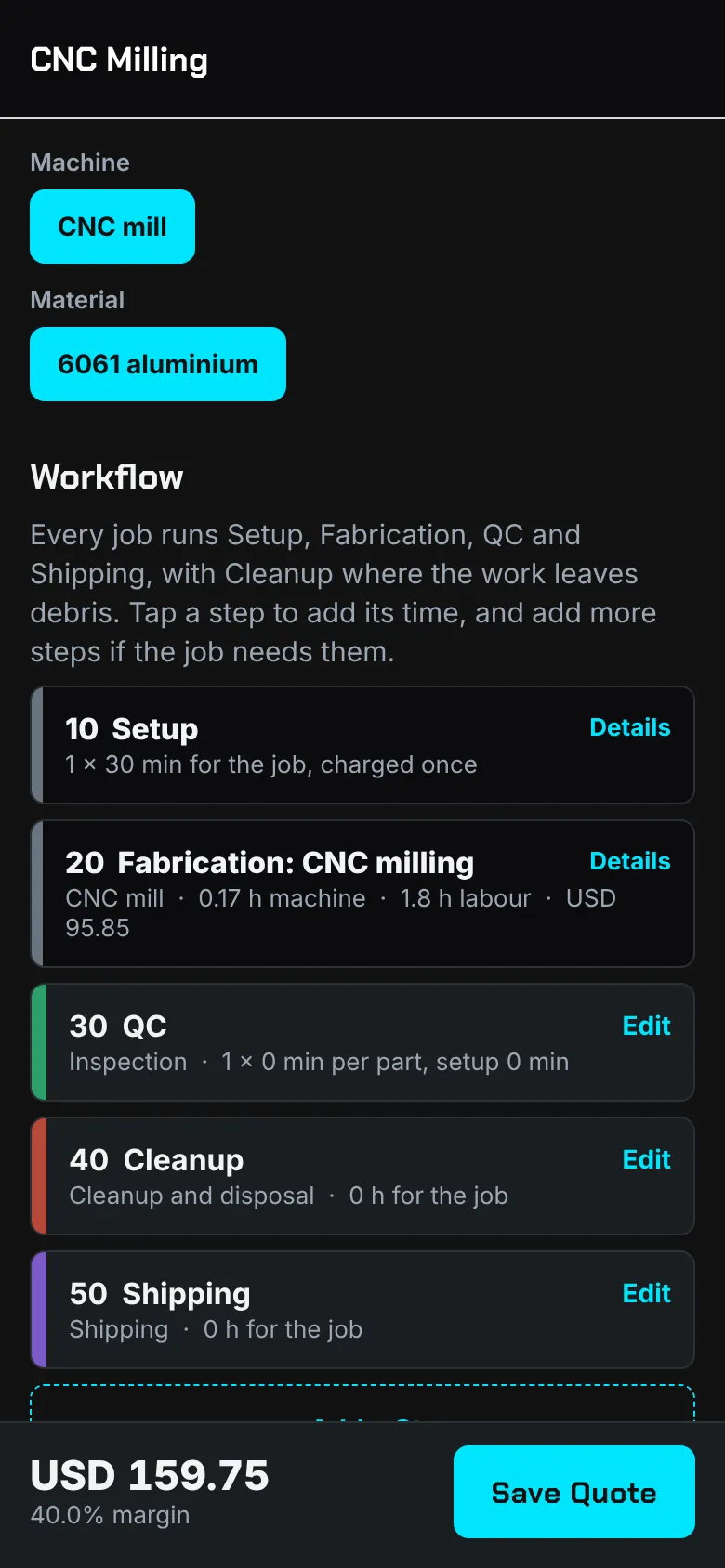
Each CNC quote type (milling, turning, routing and engraving) asks for what drives the price of the part:
- Cycle time per part, priced at the machine's real hourly cost and power
- Number of setups and minutes per setup, charged once per job
- Toolpath programming hours at your programming rate
- Stock per part at its unit cost, with a waste allowance
- Load and unload, deburring and inspection time
- Tooling cost for the job
Machine Rates You Can Defend
Customakr works out what an hour on each machine really costs: its purchase price less what it will be worth later, spread over its working hours, plus maintenance, consumables and the electricity it draws. If you already know your all-in hourly rate for a machine, enter that instead.
Your shop rate covers labour and overhead, and can come from the shop rate calculator, which can read your utility bills.
Quantities, Batches and Second Operations
Because setup and programming are charged once, the price per part falls as the quantity rises. On Pro, batch pricing shows the price at several quantities side by side, so you can answer "what if we order 50?" straight away.
Parts that need more than one process become a workflow quote: saw cutting, milling, drilling by the hole, deburring, finishing and outside work such as anodising or heat treating, each on its own card with its own rate.
Time Programs From G-code
On Pro and Team, Customakr reads CNC G-code on your device and estimates machine time from the toolpath: feeds, rapids at your machine's rapid rate, arcs, drilling cycles, dwells and tool changes. The estimate is labelled approximate, and you can adjust it.